Tuesday, April 27, 2010

Join Steve Zalot on Saturday, May 15th


As a Senior Systems Engineer for Apple, Steve Zalot will be there Saturday to
thrill and chill us with the new Apple technologies.
Questions will be asked and answered.
Learn about the iPad and other goodies
Insights will be opening doors to new techniques.
Enjoyment for one and all.
Join us.

Sunday, April 18, 2010

Ben Romney's April 17, 2010 Meeting Presentation Tips & Info

Have you ever lost your iTunes Library or portions of the media stored on you iPod device [iPod, iTouch, iPhone]?

Apple's iTunes is a great application of getting your media from your computer to your device, but if you need to pull that data back to your computer and into iTunes you are out of luck!

Out of luck unless you have Kennettnet's Music Rescue. This application, recently rated as one of the best iPod Recovery apps by MacWorld, does so many tasks helping you to get your media off the iPod back onto your computer.

What does it do? Music Rescue can:

  • Copies media from an iPod, iTouch or iPhone to your computer [Mac or Win]
  • Compares iPod contents to local iTunes library
  • Simple recovery of all media--music, podcasts, audiobooks, etc. on your iPod


In addition to being a powerful easy to use application that gets the job done, it has the look and feel of well designed Mac application. The author has an active support site and provides video tutorials to walk you through all of Music Rescue's features and capabilities covering:

  • installation,
  • getting started,
  • advanced features,
  • quick recovery feature,
  • recovering a single playlist, and
  • keeping different iTune player devices/libraries in sync.

Music Rescue easily helped me recover several thousand music files that iTunes somehow lost during upgrades or moving the library.

Available for purchase, you can download a trial version to try before you buy.


---------


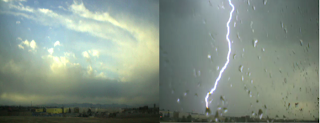
Want to be able to create your own Time Lapse Movie?


Gawker
An application for Mac OS X that creates time-lapse movies using a webcam or your iSight. Images from your camera can be shared, allowing other users to record your image stream. Streams can also be combined to create a time-lapse movie with up to four locations side-by-side. This is an excellent shareware program that enables you to do what professionals do at a much higher cost and special equipment. The program's website provides several examples of the different types of time lapsed movies you can create--it's only up to your imagination. You can download the program to try for yourself.
---------


Wednesday, February 17, 2010

This Saturday....Dave Marra from Apple


"Known for his dynamic delivery style and exciting demos, Dave Marra has conducted thousands of technology presentations, keynote addresses and workshops for schools, Mac and PC user groups, businesses and other professional organizations across the United States and Canada. Certified as both an Apple Certified Technical Coordinator and an Apple Certified Systems Administrator, his specialty areas include digital multimedia, internet technologies, accessibility and Mac/PC integration."


Dave will talk with the mac interest group (9-12) and then present the main meeting at noon on the ma in a cross platform world.
Come join us.

Sunday, December 20, 2009

AppleScript- A Short Report for a Very Long Book

I must admit that, at first glance, “AppleScript 1-2-3” by Sal Soghoian and Bill Cheeseman was a daunting experience. In today’s world, a printed volume that weighs nearly four pounds, and has 880 pages can be an unusual and intimidating document.

Yet, upon sitting down with the book and my MAC along side, and going through the numerous examples of the first chapter, I realized that, “Hey! This book is READABLE!”

Now, I won’t pretend that I’ve read the rest of the book in any great detail, but from what I’ve gleaned so far, the authors continue their hands-on, example-driven approach throughout- making the learning of AppleScript a very doable undertaking.

To those who are unfamiliar with AppleScript, let’s just say that it is an unbelievably powerful object-oriented language, built into every MAC from the beginning. It allows the user to manipulate the MAC applications in ways which add tremendous utility to the original programs.

For instance, my project involves taking a “whole boatload” of very old Microsoft Word files for MAC, and converting them into files that can be read by a modern WINDOWS PC- a daunting task if it were not for the MACRO capabilities of AppleScript.

AppleScript uses high-level, English language sentence structure and compiles it into a program that the machine understands. A built-in AppleScript Editor makes programming easy. An example of a command might be:

tell application “Finder” to open the startup disk

Nothing very cryptic there…

If you need your computer to do something different, or something not originally designed into a “Standard” application, you may want to give AppleScript a try. The book has a list price of $49.99. If you want to see if AppleScript is right for you before you make a commitment, look for a copy at your local public library.

Published by Peachpit Press
Copyright 2009
ISBN13:978-0-321-14931-2
ISBN-10:6-321-14931-9
mm
Ron K

Thursday, December 17, 2009

December 2009 Meeting

December 19 , 2009

Tips & Tricks for everyone by Mark Bazrod

Bring TV to your MAC for Free by Ben Romney

Fill Your Wish List for the New Year with Dale's goodies

Free Photoshop Alternatives

Check this out!!!!
Three websites for 25+ Photoshop alternatives

==================================================================

11 Free Adobe Photoshop Alternatives (Softwares) | Tools
http://www.hongkiat.com/blog/11-free-alternatives-softwares-to-adobe-photoshop/


Photoshop Alternatives: Another 14 Free Image Manipulation Tools | Tools
http://www.hongkiat.com/blog/photoshop-alternatives-another-14-free-image-manipulation-tools/


One more site to check out for Mac based (non free) Image editors
Top 5 Alternatives to Photoshop For Mac Users | Psdtuts+
http://psd.tutsplus.com/articles/top-5-alternatives-to-photoshop-for-mac-users/

Sunday, September 20, 2009

Links for September Tips

Here are the URLs for the Mac tips from the September 19, 2009 meeting. This is my first post to the blog so who knows how it will turn out.

BOOTABLE FLASH DRIVE http://www.mlmug.org/BMSep.html

TEN THUMBS TYPING TUTOR ($26) http://www.tenthumbstypingtutor.com

TYPING SHORTHANDS


TROUBLESHOOTING SITES -

Wednesday, September 16, 2009

The AppCast for great tutorials


iPhone apps video podcasts
http://theapppodcast.com/
The App Podcast is a video review website of popular and upcoming iPhone & iPod Touch Applications. We hold one of the top technology podcast positions in iTunes with over 6500 subscribers and growing. Get the reviews for free in iTunes to watch on your computer, iPhone, Touch or AppleTV.

The Applist


Applist - lists of the essential and best iphone apps
http://appadvice.com/reviews
When you just can't find the right set of apps going to the AppStore will strike pay dirt. Don't know which apps you need on your iPhone? Check out our AppLists to find handpicked bundles of apps that fit your unique style. Whether you are looking to use your phone for a particular purpose, or just want to have more fun on the go, AppLists transform your iPhone to your very own myPhone.

September's Meeting

Freeware-Shareware and Open Source

This month we will feature as many applications, tips and tricks, and tools that are available to the macintosh platform free of charge or for a nominal fee.
Come join us and share your expertise or have your question answered.